



After latest updates toolbar has been wiped of all added progs
- Vous devez vous identifier ou créer un compte pour écrire des commentaires

After applying the latest security and sofware (kernel) updates the lower toolbar has been wiped clean of all the shortcuts I added. And now when using Abrowser, if I minimise it, it will disappear and close. This bad behaviour is a first since I started using Trisquel.
Will I need to manually re-populate the toolbar or could it be hidden somewhere ?
Unable to attatch pics of before and after (Fortunately keep screen shots of desktop changes.)
Also have noticed on the extreme left end of toolbar a thin line appears to the left of Trisquel logo which seems to be where minimised browser window hides. Need to be extremely accurate and slow to be able to click and maximise Abrowser. My other browsers and programs can only be started from their holding folders.
Also the forum won't allow any file attatchments to be added. small size .png pics not allowed !
I don't know how to trouble shoot any of this mess.
It's happened again but this time there's no line to click to unhide all the items that have now gone from the panel, all my shortcuts. How does this happen ? Is this due to the last updates ? Buggy.
Can someone explain how all the shortcuts that have disappeared from the lower panel be found. Or is it a case of manually re-populating the panel ? (right click - add to panel etc.)

 I am a translator!
A similar problem just happened on my machines running Trisquel. All manually added shortcuts in the panel were removed, all elements in the panel were locked (while I had unlocked them) and their location in the panel had changed (not the exact default location). Also, the panel was on the top before and then was moved to the bottom.
I hope this does not happen too often as my friend whom I recently convinced to use Trisquel had the same problem and there are shortcuts he needs and he does not know how to find the corresponding apps/menus. Fortunately, I was available to help but this is not always the case.

I've had the same problem then Avron, first time, I've redone my control panel without trying to search for a solution about it, but it happened again.
By searching possible solution, I tried this command line on the terminal:
gsettings reset-recursively org.mate.panel
That did nothing and I don't think that it's the solution.
So, I found this topic and went to /usr/share/mate-panel/layouts and what is strange is that trisquel.layout and few others have been modified on the third of April (at 7:20), that must ben when Avron had that problem (and maybe me also the first time).
Being curious, I went to /usr/share/mate-panel and so that file: layout-reset that contains this:
#!/bin/sh
RELEASE=$(lsb_release -rs)
if [ ! -f $HOME/.config/mate/panel2.d/trisquel$RELEASE ] || ! grep -q 12 $HOME/.config/mate/panel2.d/trisquel$RELEASE; then
if dconf dump /org/mate/panel/ |grep -q Clock; then
gsettings reset-recursively org.mate.panel
sleep 1
fi
dconf write /org/mate/panel/toplevels/top/background/color "'rgba(0,0,0,0.5)'"
[ -d $HOME/.config/mate/panel2.d ] || mkdir -p $HOME/.config/mate/panel2.d
echo 12 > $HOME/.config/mate/panel2.d/trisquel$RELEASE
fi
Note that it contains:
gsettings reset-recursively org.mate.panel
I don't understand everything, but possibly, the problem comes from that script and from the fact that it's going back (to the default panel). But also, maybe that script is not the origin of that problem.
It would be great to reset anti-recursively or something like that.
Anyway, I will once again redo all what I did to my control panel and save it this time (thanks for that trick).
I am a translator!
trisquel.layout and few others have been modified on the third of April (at 7:20)
This is exactly what I see.
In general, I have no clue how to save a panel layout, as suggested by prospero.

My solution was to install the mate-applets and go added one by one in the taskbar.
$ sudo apt install mate-applets

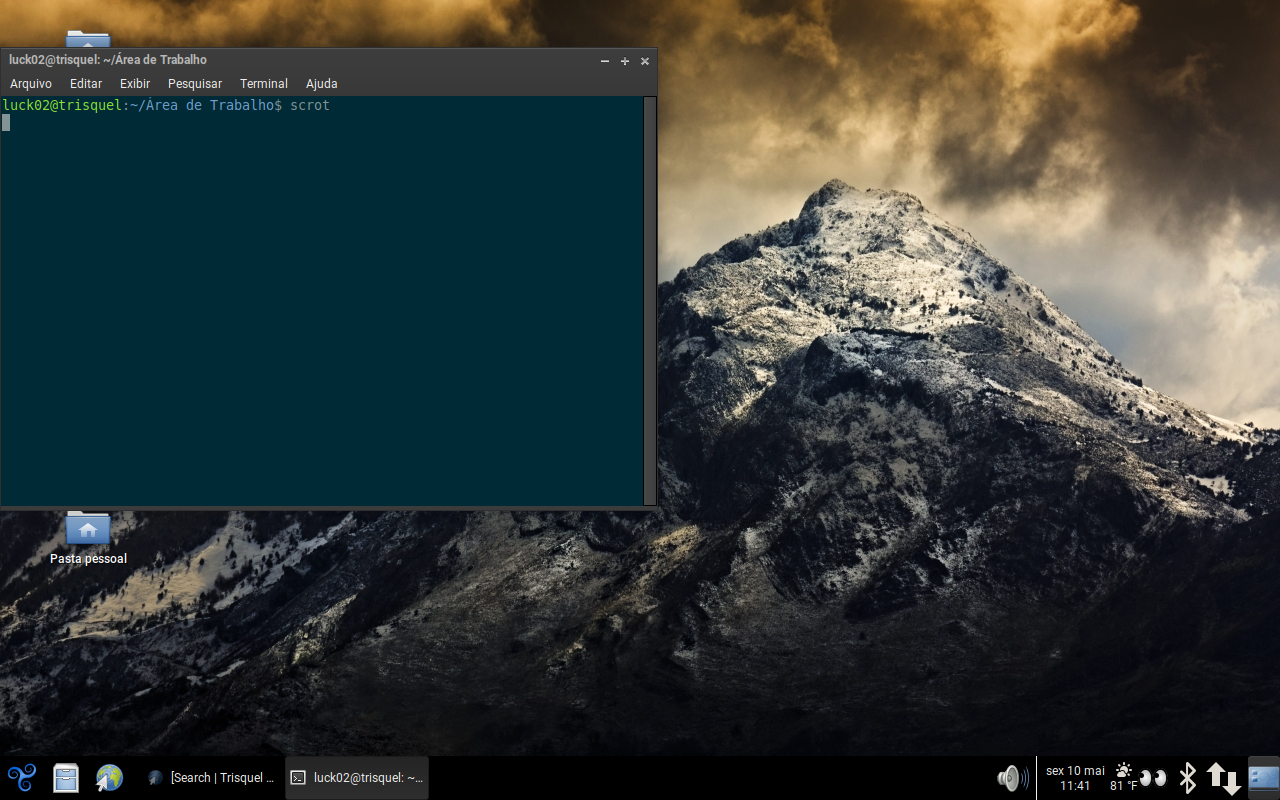
Current screen
Screen
- Vous devez vous identifier ou créer un compte pour écrire des commentaires